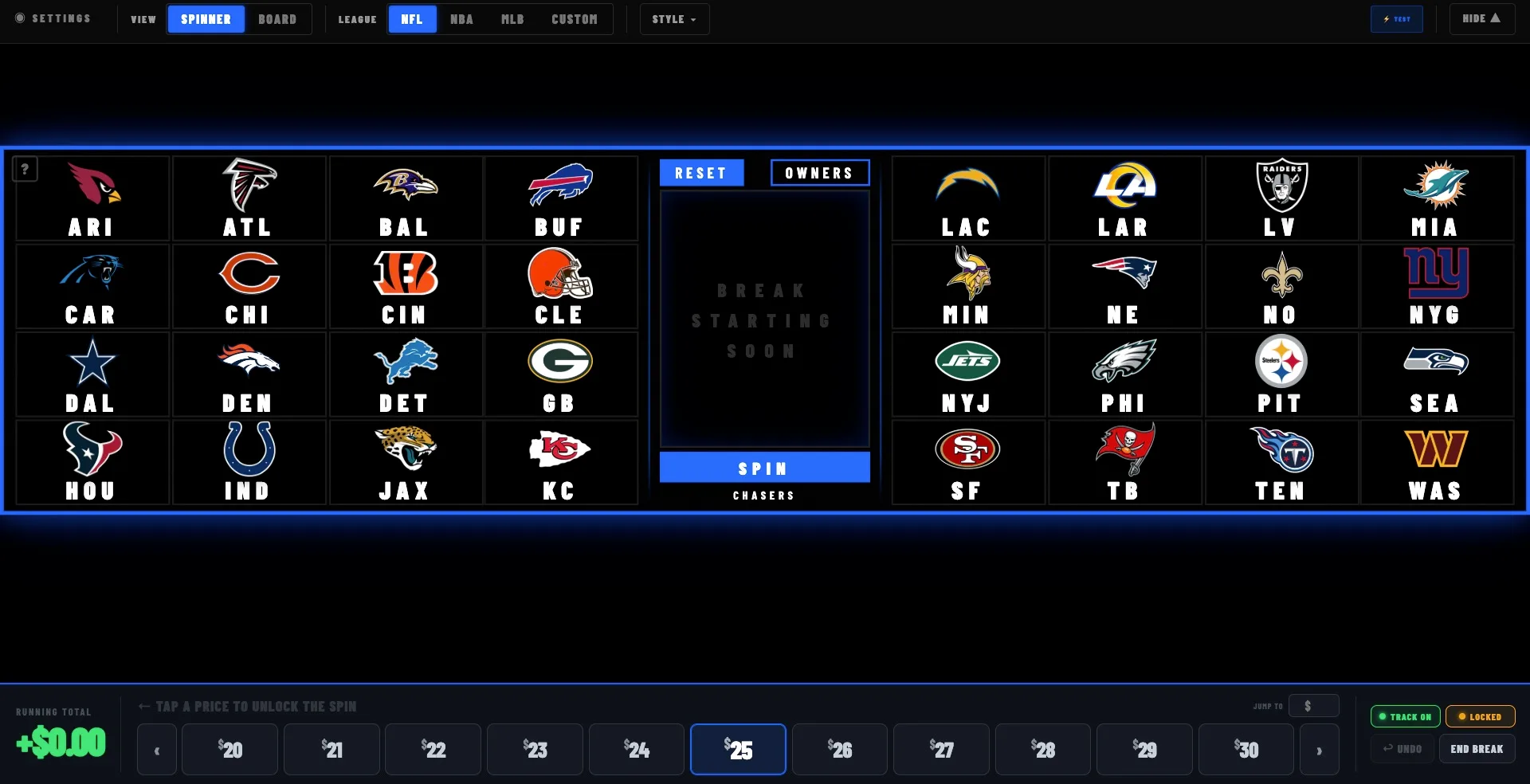
Why a generic OBS scoreboard doesn't work for breaks
Search "OBS scoreboard" and you'll find soccer scorebugs, football timers, and esports overlays — none of which know what a break is. A card break isn't tracking a score; it's tracking money and spots in real time. You need to see your live profit, how many spots are sold, and how close you are to break-even while you're live, so you can hype the room, slow the pace, or push the chase cards at the right moment.
That's what this overlay is built for. It reads directly from the break you planned in Breaker Tools Pro, so the moment a spot sells, your on-stream profit moves. No mod flipping numbers by hand, no separate spreadsheet on a second monitor.
How to add the scoreboard to OBS
If you can paste a URL into OBS, you're done. Most breakers are live in under five minutes:
- Plan your break in Breaker Tools Pro — box cost, spots, and price. The scoreboard reads from it automatically.
- Copy your scoreboard URL from the break's live overlay screen.
- Add a Browser source in OBS Studio and paste the URL. Size it to your canvas.
- Go live — profit, revenue, and spots sold update in real time as the break runs.
A scrolling announcement bar built in
Under the team board runs a customizable scrolling ticker — the same spot most breakers pay a designer for or never have at all. Load it with your spot prices, PYT rates, discount codes, giveaway rules, or a "text this number for deals" line, and it loops across the bottom of your stream all show long. It's part of the same overlay, so there's nothing extra to install: your pricing and promos stay in front of every viewer while the break runs.
The Chase Board: a hit wall for character and TCG breaks
For player and character breaks, the overlay suite includes a second display: the Chase Board — a full-screen 1920×1080 wall showing every chaser in your break with its card art. When a card gets pulled, it greys out right where it sits. Rows never reshuffle, so your room can glance at the screen at any point in the night and instantly see what's been pulled and what's still live — which is exactly what keeps buyers in the stream between hits.
It's built straight from the chaser list you generate in Break Lists (or pick a TCG set and it builds itself), drops into OBS as its own browser source with a transparent background, and registers hits with one click from your control tab — the OBS copy is display-only and mirrors you in real time.
Premium themes for the Break Board
The Break Board ships with switchable themes — Classic, Ice, and Neon Signs — that repaint the entire board in one click: tiles, spinner, owners view, and the announcement ticker all follow. Because a theme restyles the real board elements rather than laying a static graphic behind them, everything stays live and clickable in any look. Pick the style that fits your shop's brand and it sticks between shows.
Works on every breaking platform
Because the scoreboard is a browser overlay inside OBS, it works with whatever platform you stream to — Whatnot, TikTok Shop, or eBay Live. Switch platforms and your overlay comes with you. Pair it with the free break calculator to lock in your pricing before you go live, and the full Breaker Tools Pro suite to generate break lists and show setups.
Frequently asked questions
Can I show my prices and promos on the overlay?
Yes. The overlay includes a customizable scrolling announcement bar — put your spot prices, PYT rates, discount codes, or a contact number in it and it loops across the bottom of your stream the whole break.
What is the Chase Board?
A full-screen on-stream wall of every chaser in your break, with card art. Pulled cards grey out in place — no reshuffling — so viewers always know what's still live. It runs as its own OBS browser source (1920×1080, transparent background) alongside the Break Board.
Can I change how the board looks?
Yes — switchable themes (Classic, Ice, Neon Signs) repaint the whole board, spinner, and ticker in one click while everything stays live and clickable.
Is this a free OBS overlay?
The scoreboard is included with a Breaker Tools Pro subscription, which starts with a 7-day free trial. The break calculator is free forever with no account.
Do I need editing or design skills?
No. It's a single OBS Browser source — paste a URL and it renders. No plugins, no After Effects, no template editing.
Does it update automatically as spots sell?
Yes. It reads from your planned break, so profit, revenue, and spots-sold move in real time without anyone updating numbers by hand.
Put your profit on screen tonight
Get the live scoreboard, break calculator, AI break lists, and analytics in one connected system. Free for 7 days.
Start your free trial →